The Complete Animated Sexy Social Bookmarks V3 For Blogger
 The Sexy Bookmarks range, so called as the very first gadget had the 'Sharing Is Sexy' message is probably the most eye catching Social Sharing Widget available.On Spice Up Your Blog i have covered a few versions and even used the Arrow Messages to create my own unique versions.However in this post i have the complete sexy bookmarks range with the awesome accordion auto hide and all 8 arrow messages.
With the accordion effect one row of icons are visible and on hover the page drops to display 48 more sharing options, that's 56 in total.The icons themselves are sprites with a pop up effect, all making for a totally animated look using jQuery.Best of all by changing just one line in the code you can use any of the 8 messages.The message and icons are all transparent so work on any background color.We will be adding the sexy bookmarks gadget directly below all the posts on your blog.
Along with the steps I have a complete video tutorial walking you through the steps as I add the sharing buttons to a test blog.
Updated : 03/03/2014.
I have 2 demos showing the sexy bookmarks in action, one on a light background and one on a dark background.The demo has all 8 gadgets make sure to hover over the icons to see the drop down for the other icons.
Demo 1 - Light Background Sexy Bookmarks Demo
Demo 2 - Dark Background Sexy Bookmarks Demo
Very Cool Eh ! This version is the most complete i have seen for Blogger and thanks go to Harish from Way2Blogging.Harish also works with me on projects in the Hire Us section of Spice Up Your Blog.
Arrow Messages - The arrow messages available are Sharing Is Sexy, Sharing Is Caring, Sharing Is Caring With Hearts, Share The Love, Share The Wealth, Share And Enjoy, Share The Knowledge and even an arrow message in German !
Sharing Buttons - The Bookmarking Icons In The Gadget are for : Twitter, Facebook, Linkedin, Stumble Upon, Delicious, Digg, Google Buzz, Blogger, Yahoo Mail, Gmail, Google Bookmarks, Google Reader, Rss, Orkut, Design Bump, Reddit, Design Float, Friend Feed, Dzone, Web Blend, Propeller, Tumblr, Squidoo, Posterous, Technorati, Bebo, Hotmail, Blinklist, Blog Engage, Blog Marks, Box.Net, Current, Diigo, Ekudos, Evernote, Hacker News, Hives, Identica, Jumptags, Email, Meneame, Mister Wong, My Link Vault, Myspace, Netvibes, Netvouz, Newsvine, Ning, Ping FM, Plaxo, Plurk, Print Friendly, Slashdot, Sphinn, Techmeme and Tipd.
OK lets add it to your blog.
Add The V3 Complete Sexy Bookmarks Gadget To Your Blog
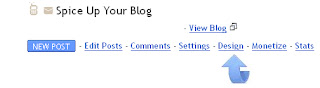
Step 1. In Your (New Design) Blogger Dashboard Click The Drop Down Menu For Your Blog > Choose Template > Then Edit Html > Now Proceed as shown in the video Below :
Step 2. Find the following piece of code in your blogs Html : (Click Ctrl and F for a search bar to help find the code - More Info)
Step 3. Copy and Paste the following code directly Above / Before
Note - If you previously added jQuery to your blog you can remove the line in yellow.
Step 4. Find the following piece of code in your blogs Html : (Click Ctrl and F for a search bar to help find the code - More Info)
- If you cant find this use
instead.
Step 5. Copy and Paste the following code Directly Below / UnderThe Options
The line in red at the top sets the gadget to only be displayed on full posts pages not on the home page.To display the gadget on your home page also remove the line in red and Important if you look the the bottom of the code you will see in red, this is the closing tag so remove this also.
The width is highlighted in blue at 550px and can be changed to suit your blog.
Change The Arrow Message
To change the arrow message simple change the line highlighted in yellow above with one of the lines below.Currently the message is Sharing Is Sexy.sexy-bookmarks-bg-sexysexy-bookmarks-bg-caringsexy-bookmarks-bg-caring-oldsexy-bookmarks-bg-lovesexy-bookmarks-bg-wealthsexy-bookmarks-bg-enjoysexy-bookmarks-bg-knowledgesexy-bookmarks-bg-german
How about a different message every day ?
And that the awesome Sexy Bookmarks with all the options.Once again all thanks go to Way2Blogging make sure to check out Harish's Blog.Also if you use Wordpress check out the original Wordpress Plugin by Shareaholic.Here on SUYB we have lots more Social Bookmarking Gadgets including my unique versions of Sexy Bookmarks.
Drop Your Comments And Questions Below.Author - Paul Crowe is the owner and main author of Spice Up Your Blog.Paul lives in Ireland, has been blogging since 2006 and writing Spice Up Your Blog since 2009.You can find him in the usual social networks.
Libellés : Bookmarking-Gadgets, jQuery, Sexy-Bookmarks
publié par Anonyme @ 09:00 0 commentaires

vendredi 19 novembre 2010
Exclusive Sharing Is Caring Social Bookmark Gadget For Blogger
It's day five and the final day of our Sexy Bookmarks week on Spice Up Your Blog.This week in connection with the launch of Social Icon Studio we are publishing 5 unique social bookmarking gadgets.Each gadget uses a different set of social icons and a different arrow message from the sexy bookmarks collection.
Today's bookmarking gadget is all about hearts with the Heart shaped social icons and the Sharing Is Caring arrow message with hearts.We will add the gadget below all your posts where it will grab the attention of your readers and get them sharing your posts on their favorite social networks.So lets look at the gadgets we have published so far and the demo of the Sharing Is Caring gadget.
- Sharing Is Caring Social Bookmarks
- Share The Love Social Bookmarks
- Sharing Is Sexy Social Bookmarks
- Share The Wealth Social Bookmarks
- Share The Knowledge Social Bookmarks
The Original :
- Wordpress Style Share The Love Bookmarks
Live Demo - Click To See The Demo : Sharing Is Caring Bookmark Gadget
Add The Sharing Is Caring Bookmark Gadget To Your Blog
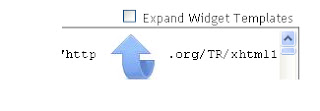
Step 1. In Your (New Design) Blogger Dashboard Click The Drop Down Menu For Your Blog > Choose Template > Then Edit Html > Now Proceed > Tick The Expand Widget Templates Box as shown in the video Below :
Step 2. Find the following piece of code in your blogs Html : (Click Ctrl and F for a search bar to help find the code - More Info)
Step 3. Copy And Paste The Following Code Directly Below / Under
Scroll Box - Be Sure To Get All The Code.
Step 4. Save Your Template And Check Out Your New Sharing Is Caring Bookmark Gadget.
Remember SocialIconStudio.Com has lots more social icons you ca use with this or any Bookmark gadget.Make sure to check out more of our Social Media Posts.
Drop your comments, views and questions below.Libellés : blogger, Bookmarking-Gadgets, Gadgets, Sexy-Bookmarks
publié par Anonyme @ 09:23 0 commentaires
jeudi 18 novembre 2010
Exclusive Share The Love Social Bookmark Gadget For Blogger
We are into day four of our special Sexy Bookmarks week on Spice Up Your Blog.All this week we are publishing an Exclusive Social Bookmarking gadget using a unique set of social icons and an Arrow message from the Sexy Bookmarks Collection.All this weeks Bookmarks gadgets have been created by us and are exclusive to Spice Up Your Blog readers.This is in connection with the recent launch of Social Icon Studio a gallery of the best free social icons.Today we are using the Share The Love Arrow Message and the very Professional Lontar Social Icons.The gadget will be placed below all the posts on your blog and will grab the attention of your readers to get them sharing your Blog.So lets remind you of the Sexy Bookmarks we have published this week and see the live demo for this Share The Love Bookmark Gadget..
- Sharing Is Caring Social Bookmarks
- Share The Love Social Bookmarks
- Sharing Is Sexy Social Bookmarks
- Share The Wealth Social Bookmarks
- Share The Knowledge Social Bookmarks
The Original :
- Wordpress Style Share The Love Bookmarks
Live Demo - Click To See The Demo : Share The Love Bookmark GadgetAdd The Share The Love Bookmark Gadget To Your Blog
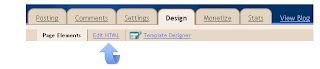
Step 1. In your Blogger dashboard click > Design > Edit Html > Tick The Expand Widget Templates Box.
Step 2. Find the following piece of code in your blogs Html : (Click Ctrl and F for a search bar to help find the code - More Info)
Step 3. Copy And Paste The Following Code Directly Below / Under
Scroll Box - Be Sure To Get All The Code.
Note. The code highlighted at the top and bottom in red sets the gadget to only be displayed on post pages, if you also want the gadget displayed on the home page remove that code.
Step 4. With the code in place save your template and check out your Shae The Love Bookmark gadget.
Check out SocialIconStudio.Com if you want to use different icons, you should use icons that are 48x48 pixels.Make sure to check out more of our Social Media Posts.
Drop your comments, views and questions below.Libellés : blogger, Bookmarking-Gadgets, Sexy-Bookmarks, Social-Media
publié par Anonyme @ 07:08 0 commentaires
mercredi 17 novembre 2010
Exclusive Sharing Is Sexy Social Bookmark Gadget For Blogger
We are into day three of our 'Unique Sexy Bookmarks Week' and today we have a totally unique Sharing Is Sexy Bookmark Gadget For your blog.All this week we are posting a new social bookmarking gadget for your blog using a different set of icons and a different Arrow Message from the Sexy Bookmarks collection.All the sets are brand new and have been created exclusively for Spice Up Your Blog readers.This is in connection with the recent launch of Social Icon Studio a gallery of the best free social icons for your blogs.So ! Today's icons are the Awesome Wood Triangle Style Icon Set and the Arrow message is the 'Sharing Is Sexy Message'.Before we add this social bookmarking gadget to your blog lets look at the gadgets we have posted and the two still to be posted.
- Sharing Is Caring Social Bookmarks
- Share The Love Social Bookmarks
- Sharing Is Sexy Social Bookmarks
- Share The Wealth Social Bookmarks
- Share The Knowledge Social Bookmarks
The Original :
- Wordpress Style Share The Love Bookmarks
Back to the New Sharing Is Sexy Bookmarks with wood triangle icons, the gadget has share options for Facebook, Digg, Stumble Upon, Twitter, Delicious, Reddit, LinkedIn and Design Float.The gadget will be added below all your blog posts as seen on the demo.
Live Demo - Click to see the demo : New Sharing Is Sexy Bookmarks.Add The New sharing Is Sexy Bookmark Gadget To Your Blog
Step 1. In your Blogger dashboard click > Design > Edit Html > Tick The Expand Widget Templates Box.
Step 2. Find the following piece of code in your blogs Html : (Click Ctrl and F for a search bar to help find the code - More Info)
Step 3. Copy And Paste The Following Code Directly Below / Under
Scroll Box - Be Sure To Get All The Code.
Note. The code highlighted at the top and bottom in red sets the gadget to only be displayed on post pages, if you also want the gadget displayed on the home page remove that code.
Step 4. Once you have the code in place save your template and check out your new Sharing Is Sexy Bookmarks.
Check out SocialIconStudio.Com for a huge gallery of icons, you could change the icons used in this gadget be sure to use 48x48 or 64x64 pixels.Make sure to check out more of our Social Bookmarking gadgets.
Drop your comments, views and questions below.Libellés : blogger, Bookmarking-Gadgets, Sexy-Bookmarks, Social-Media
publié par Anonyme @ 06:00 0 commentaires
mardi 16 novembre 2010
Exclusive Share The Wealth Social Bookmark Gadget For Blogger
This is the second post in our special 'Unique Sexy Bookmarks' week.All this week we will be posting a social bookmark gadget using a unique set of icons and a arrow message from the Sexy Bookmarks collection.All these Bookmark Gadgets are totally unique and created just for readers of Spice Up Your Blog.This is in connection with the launch of Social Icon Studio, a new gallery of the best free sets of social icons.Yesterday we published the Share The Knowledge Social Bookmark gadget and throughout the week we still have to add the following sets all with different icons and arrow message.
- Sharing Is Caring Social Bookmarks
- Share The Love Social Bookmarks
- Sharing Is Sexy Social Bookmarks
- Share The Wealth Social Bookmarks
- Share The Knowledge Social Bookmarks
The Original :
- Wordpress Style Share The Love Bookmarks
The icons used in this gadget are the very cool hand drawn Handy Icons From Social Icon Studio.
Live Demo - Click To See The Demo : Share The Wealth Bookmark Gadget.
Add The Share The Wealth Social Bookmark Gadget To Your Blog
Step 1. In your Blogger dashboard click > Design > Edit Html > Tick The Expand Widget Templates Box.
Step 2. Find the following piece of code in your blogs Html : (Click Ctrl and F for a search bar to help find the code - More Info)
Step 3. Copy And Paste The Following Code Directly Below / Under
Scroll Box Make Sure To Get All The Code.
Note. The code highlighted at the top and bottom in red sets the gadget to only be displayed on post pages, if you also want the gadget displayed on the home page remove that code.
Step 4. Save Your Template and Your cool Share The Wealth Bookmark Gadget Is On Your Blog Check It Out.
Check out SocialIconStudio.Com if you want to use different icons, you should use icons that are 48x48 pixels.Make sure to check out more of our Social Bookmarking gadgets.
Drop your comments, views and questions below.Libellés : Bookmarking-Gadgets, Gadgets, Sexy-Bookmarks
publié par Anonyme @ 07:06 0 commentaires